 Albania
 Argentina
 Australia
 Belgia
 Bosnia-Hercegovina
 Brasil
 Bulgaria
 Canada
 Chile
Chile
 Colombia
 Danmark
 Estland
 Filippinene
 Finland
 France
 Hellas
 Irland
 Italia
 Kroatia
 Latvia
 Litauen
 Luxembourg
 Mexico
 Moldova
 Montenegro
 Nederland
 New Zealand
 Nord-Makedonia
 Norge
Norge
 Polen
Polen
 Portugal
 Romania
 Sambandsstatene
 Serbia
 Slovakia
 Slovenia
 Spania
 Storbritannia
 Sveits
 Sverige
 Sør-Afrika
 Tsjekkia
 Tyrkia
 Tyskland
 Ukraina
 Ungarn
 Østerrike



Produktkode: 1036478
Dell USB 3.0 Ultra HD D3100
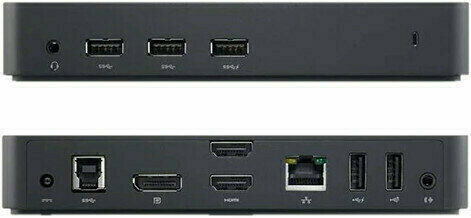
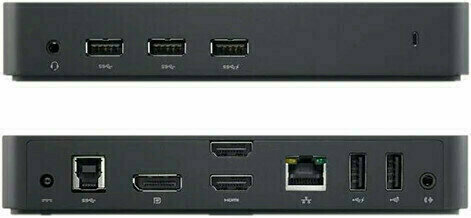
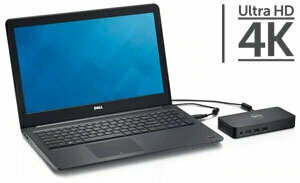
The Dell Docking Station - USB 3.0 connects your laptop to up to three additional monitors, various external devices and the Internet with a single cable. It's a convenient way to expand the capabilities of your portable PC and customize your desktop computing environment. This sleek, compact dock unlocks enhanced productivity and entertainment options with high-speed connectivity and support for Ultra HD 4K displays. Designed for Ultra HD 4K resolution, this USB 3.0 universal docking station enables compatible PC's to display 4K resolution when connected. Expand your desktop by connecting up to three displays at once, including one Ultra HD 4K display and two Full HD displays. The Dell Docking Station allows you to spread out your desktop on up to three external displays, increasing productivity and making it easier to manage multiple applications. The Dell Docking Station offers ultra-fast data transfer speeds among connected devices. The dock features three USB 3.0 ports, as well as two USB 2.0 connections, ensuring compatibility with a vast array of peripherals, such as external hard drives, printers and scanners. The dock also provides USB charging to peripherals but does not charge your laptop. Your laptop is no longer constrained by its included ports. With a single cable, the Dell Docking Station - USB 3.0 connects your laptop to various devices, such as printers, scanners and external hard drives. There's also a Gigabit Ethernet port, headphone jack and audio output to connect external speakers.

Number of Input Ports
Interface
HDMI (2), DisplayPort (2), LAN, USB 3.0 (3), USB 2.0 (2), Jack 3,5 mm TRRS
Colour
Black
SD Slot
Type-B Connector
USB B
Package Contents
Manual, Adapter, USB Cable, HDMI Adapter
Power Supply
Adapter
UK/EU Power supply included
Yes
Made in
China
Dokumenter
Sikkerhetsinstruksjoner
Se brukerhåndboken for spesifikke sikkerhetsinstruksjoner for dette produktet.


